
Primary references
These sources support the standards and technical explanations in this guide. Color Pick recommendations and product-specific limitations are identified separately in the article.
Compare HEX, RGB, HSL, OKLCH, Display P3, alpha, and CMYK planning values with practical use cases and limitations.
HEX, RGB, and HSL usually describe colors in the sRGB space used by the web. OKLCH and OKLab organize colors around perceptual lightness and chroma, which is useful for systematic palettes. Display P3 can represent a wider range on compatible devices. CMYK describes print-process channels, but browser conversions are planning approximations until a specific ICC-managed printing workflow is used.
HEX and rgb() are two notations for sRGB channel values.
HEX compresses red, green, and blue into hexadecimal pairs such as #2563EB. The equivalent modern CSS syntax is rgb(37 99 235). Both describe the same sRGB color when no other profile is involved.
Use HEX for compact tokens and simple handoff. Use rgb() when channel arithmetic, alpha, or modern CSS syntax is clearer.
HSL and HWB provide hue-oriented controls while still resolving to sRGB colors.
HSL separates hue, saturation, and lightness. It is intuitive for quick manual edits, but equal lightness numbers do not guarantee equal perceived brightness across hues. HWB describes hue plus whiteness and blackness and can feel natural for tint and shade adjustments.
Both are useful authoring interfaces, but neither is inherently more accessible than HEX or RGB. Accessibility depends on the final rendered colors and context.
OKLCH is the cylindrical form of OKLab and is designed for more consistent perceptual adjustments.
OKLCH uses lightness, chroma, and hue. Changing lightness by similar amounts usually produces more visually consistent steps than the same operation in HSL. This makes OKLCH useful for scales, themes, and controlled color relationships.
High chroma values can fall outside sRGB. Provide an sRGB fallback when the wide-gamut result is important, and verify actual browser and device support.
CIELAB is a device-independent reference space used in color science and color-difference work.
Lab expresses lightness plus opponent color axes. LCH presents similar information as lightness, chroma, and hue. These spaces are useful for measurement and comparison, but CSS workflows must still account for white points, conversion details, and output gamut.
Color Pick uses Lab-derived calculations for nearest CPS comparison and CIEDE2000 distance.
Display P3 can represent colors outside the sRGB gamut on compatible displays.
CSS can express P3 values using color(display-p3 ...). A wide-gamut color may appear more vivid on capable hardware, while older or limited displays require a fallback or gamut-mapped result.
Use wide gamut as an enhancement, not as the only source of important meaning. Test with the color-gamut media feature and maintain usable sRGB values.
CMYK represents cyan, magenta, yellow, and black process channels used in printing.
A generic RGB-to-CMYK formula cannot predict a final press result because output depends on the printer, ink set, paper, black generation, total ink limits, rendering intent, and ICC profiles. Color Pick therefore labels CMYK output as a planning approximation.
Use the values to begin a conversation with a printer, not as a certified proof or physical spot-ink formula.
Transparency and gamut are separate properties that can change the visible result.
Alpha controls how a color composites with what is behind it. A semi-transparent foreground must be evaluated against the actual background after compositing. Gamut describes the range of colors a space or device can represent.
The same numeric-looking color can produce different output after conversion, clipping, or profile transformation.
Choose the notation that best matches the task while preserving a reliable fallback.
| Format | Best for | Main limitation |
|---|---|---|
| HEX | Compact sRGB tokens | No explicit color-space label beyond sRGB convention |
| RGB / sRGB | Channels, alpha, CSS output | Not perceptually uniform |
| HSL / HWB | Quick hue-based editing | Lightness is not perceptually even |
| OKLCH / OKLab | Scales and controlled adjustments | Can exceed sRGB gamut |
| Display P3 | Wide-gamut enhancement | Requires compatible display and fallback |
| Lab / LCH | Measurement and color difference | More technical conversion context |
| CMYK | Early print planning | Not press-accurate without a profile workflow |
One source color can be represented in multiple formats without changing its intended appearance.
For #2563EB, Color Pick can display RGB, HSL, OKLCH, Display P3, generic CMYK, and the nearest CPS reference. The exact textual output depends on rounding and the conversion implementation.
Use the same canonical source in a design token system, then export formats appropriate to the web, Tailwind, documentation, and print planning.
A color format is a representation, not a guarantee of appearance.
The same source color was converted, rendered, and compared across web and print-planning representations.
The example begins with one sRGB HEX value, then records RGB, HSL, OKLCH, Display P3 where applicable, and a generic CMYK planning approximation. The values are not treated as interchangeable strings: each format serves a different workflow.
The rendered color is checked in a browser context, while the CMYK result is labeled as planning data because final print appearance depends on profile, paper, ink, press, and proofing conditions.
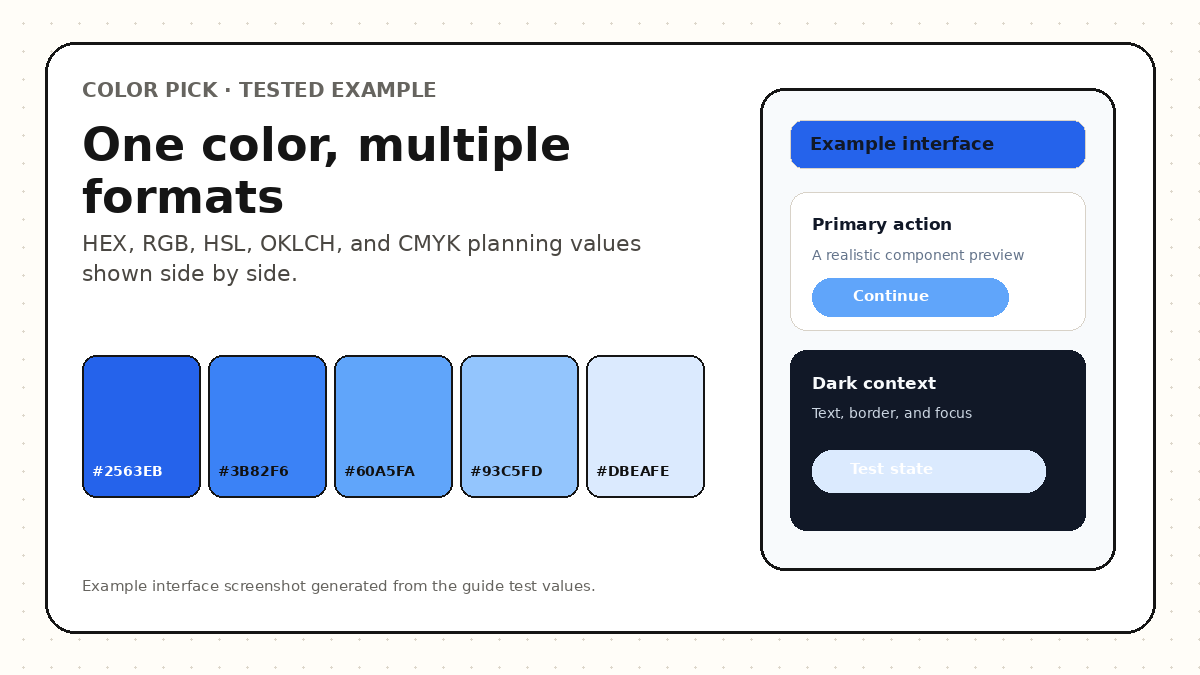
Enter a color once, compare web and perceptual values, inspect gamut, and find the nearest CPS reference.
No. HEX and RGB can represent the same sRGB channel values. The difference is notation and workflow convenience.
OKLCH is usually more useful for perceptual lightness and scale generation, while HSL can remain convenient for simple hue-oriented controls. The final choice depends on the task and browser requirements.
Use them only as planning information. Ask the printer for the target profile, total ink limits, proofing requirements, and preferred file workflow.
These sources support the standards and technical explanations in this guide. Color Pick recommendations and product-specific limitations are identified separately in the article.